


Use your old video game console gamepads on your computer
Many video game consoles have been launched over the last few decades, each one of which has had its own gamepad, and when you have accumulated old gamepads at home, it's a real pity not to be able to use them with the computer, because there are no drivers available to be able to make them work, but that can be solved thanks to PPJoy.
Drivers to use your console's gamepad on a PC
This pack of drivers has been especially designed to be able to use the PlayStation, Sega, SNES (Super Nintendo) gamepads as well as those of older game consoles, like the Atari, on a computer by connecting them to the parallel port.
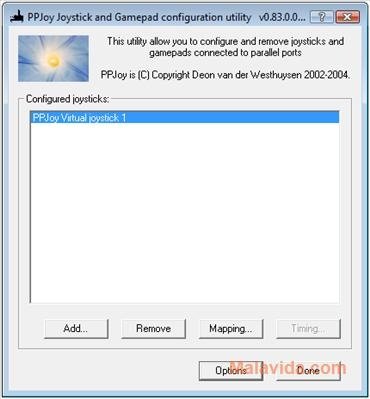
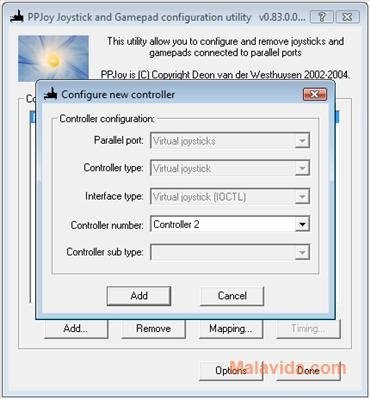
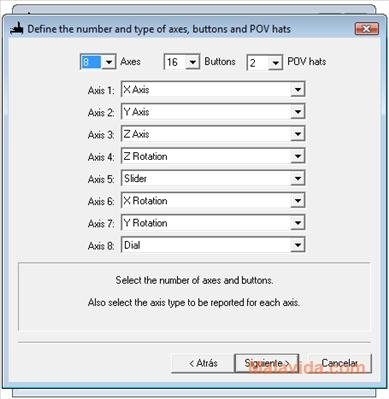
PPJoy (Parallel Port Joystick) detects old gamepads connected to the parallel port, allowing the user to configure them to work with Windows and, furthermore, offering you the chance to map the gamepad buttons, to adjust them to your liking.
Therefore, if you own an old gamepad that you want to use on your computer, and you're still looking for the drivers, download and install PPJoy.
 Héctor Hernández
As a technology journalist with over 12 years of experience in the world of software and apps, I have had the opportunity to try all kinds of devices and operating systems over the years. I have done from software or mobile applications reviews...

Antony Peel